Banker-Ready Real Estate Financial Model for a Residential Developer
ABC (name changed), a mid-size real estate developer, needed one clear model that a banker, broker, and internal team can all understand—project cashflow, debt, margins, and investor returns—without “Excel chaos”.
1) What ABC wanted (in plain words)
ContextABC was planning a residential project launch and financing discussions. They needed a model that answers: “Will we have enough cash every month to finish construction and repay the loan?” and “What price / payment plan is safe and profitable?”
For the Developer (Founder / CFO)
- Monthly cash inflows from customer collections
- Monthly cash outflows for construction + approvals + overheads
- Loan drawdown schedule, interest, and repayment plan
- Profit, project IRR, break-even price, and risk scenarios
For Brokers & Sales Teams
- Clear rate card logic (base price, floor rise, PLC, parking, GST)
- Payment plan options (construction-linked, time-linked, downpayment)
- Impact of discounts / offers on cash & profitability
- Inventory + absorption assumptions (how fast units sell)

2) Diagnosis: why real estate models fail in the real world
Root causesMost real estate spreadsheets look fine on Day 1. They break on Day 30—when sales timing changes, costs rise, loan conditions kick in, and the team starts editing random cells.
| Common Issue | What it causes | What we fixed |
|---|---|---|
| Collections not linked to sales | Cashflow looks healthy but money doesn’t arrive on time | Payment plan engine + collection timing rules |
| Construction costs not phased | Late-stage cash crunch even when total cost seems okay | Monthly cost phasing (civil, MEP, finishes, approvals) |
| Debt modeled as a “lump sum” | Bankers reject the model (no DSCR / drawdown logic) | Drawdown schedule + covenants + repayment logic |
| No control checks | Errors, broken formulas, inconsistent outputs | Input locks + validation + reconciliation checks |
Our core rule
We build the model like a lender would review it: timing first, then totals. If monthly timing is correct, decisions become safer.
3) Our project plan (how we ran it)
ExecutionWe followed a simple workflow: understand the project, lock assumptions, build the engine, add banker checks, then present a decision pack.
Workshop 1: Project basics
- Unit mix, launch plan, target price bands
- Construction timeline & milestones
- Cost heads and vendor/contractor structure
- Current loan discussions / indicative term sheet points
Workshop 2: Banker + broker view
- Payment plan design & collection assumptions
- Debt covenants: DSCR, LTV, interest reserve needs
- What “reports” bankers ask for during disbursement
- What brokers need: easy pricing + offer impact
Note: This is a real engagement pattern; the project numbers and name are anonymized.
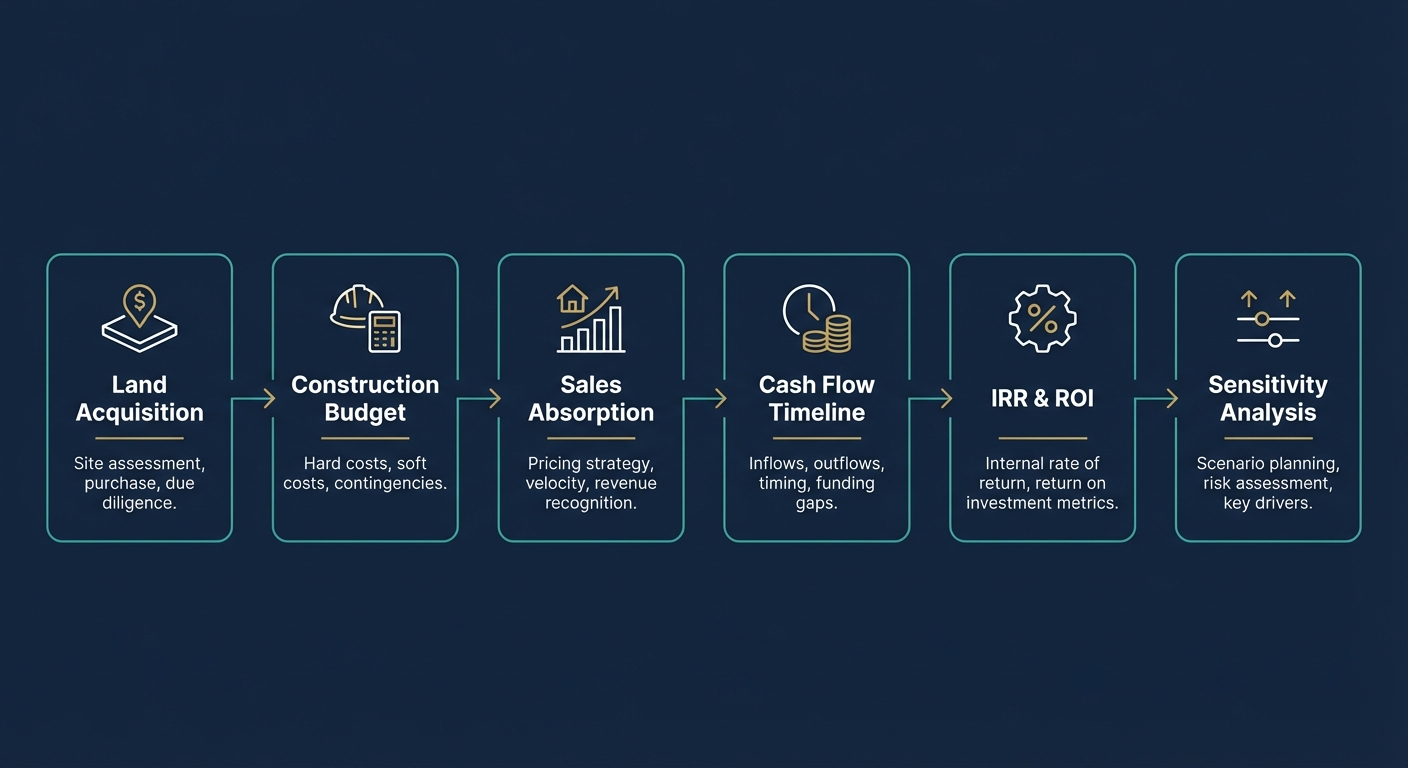
4) Model architecture (Inputs → Engine → Outputs)
BuildWe structured the model so anyone can operate it: keep inputs in one place, lock the engine, and make outputs easy to read. No hidden “magic numbers”.
| Model Area | What’s inside (simple) | Who uses it |
|---|---|---|
| Assumptions | Unit mix, prices, sales speed, payment plan, inflation, contingency | Developer / CFO |
| Collections Engine | Converts sales into monthly cash receipts (by plan) | Finance + Sales Head |
| Cost Phasing | Civil/MEP/finishes, approvals, marketing, overheads month-wise | Project team + Finance |
| Debt Schedule | Drawdowns, interest, repayments, covenants & DSCR | Bankers + Finance |
| Outputs | Cashflow, funding gap, IRR, break-even price, sensitivity | All stakeholders |
Example (illustrative)
If brokers propose a discount of ₹200/sq.ft, the model instantly shows: cash impact this quarter, profit impact, and whether the project still meets the bank’s DSCR requirement.
5) Controls & quality (what makes it banker-grade)
QualityBankers and investors don’t just want outputs—they want confidence. We added simple checks so errors get caught early.
Data + formula controls
- Input cells clearly marked (no accidental edits)
- Cross-check totals: units sold ≤ total inventory
- Collections reconciliation: receipts match payment plan
- Construction phasing sums to total project cost
Banking controls
- DSCR computed monthly and highlighted if it drops below target
- Interest reserve view (how many months covered)
- Loan drawdown caps (linked to cost progress / funding need)
- Covenant summary dashboard (simple red/green indicators)
6) Insights ABC got (the real value)
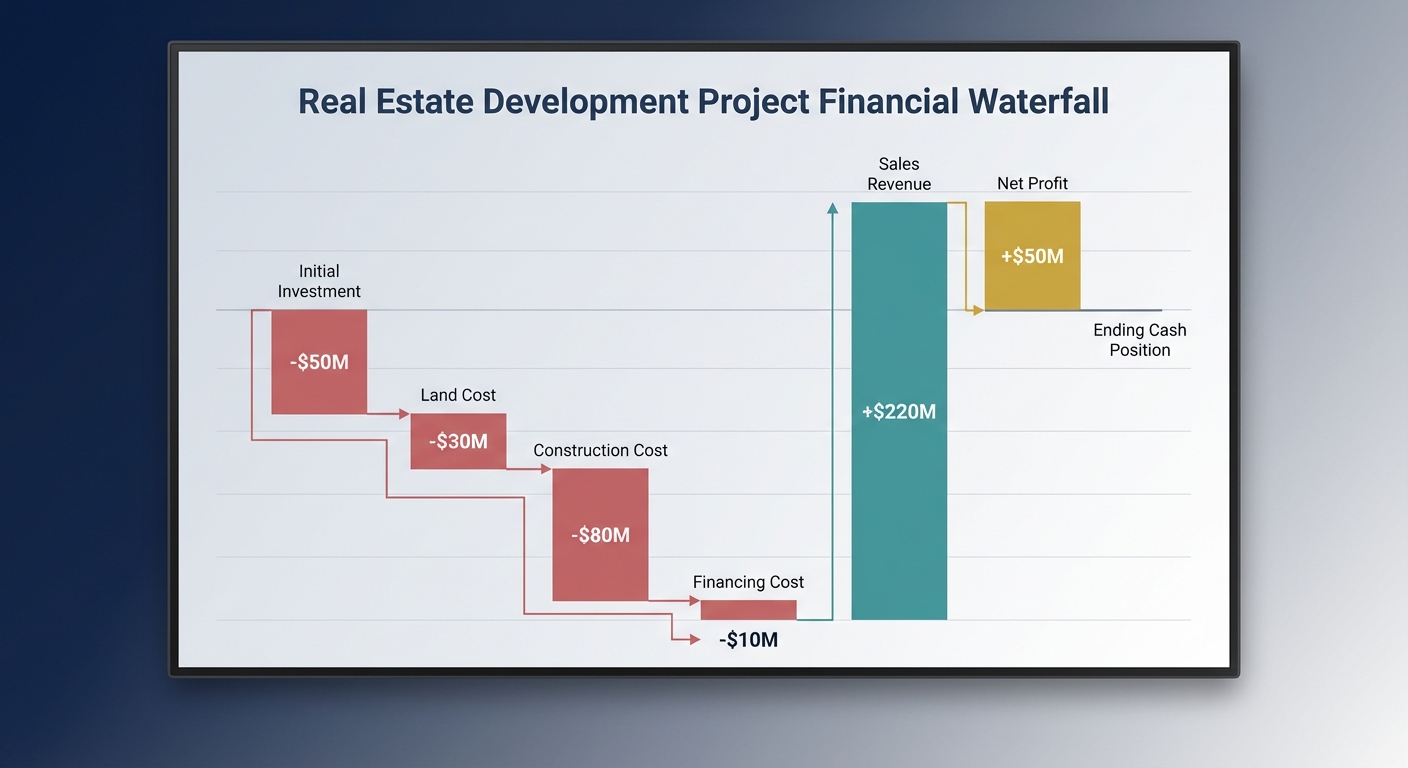
InsightsOnce the model was ready, the discussions changed from “opinions” to numbers. Below are example insights (illustrative).
Cash crunch months identified early
- We flagged months where construction spends peak but collections slow
- We recommended loan drawdown timing + payment plan tweaks
- Result: a clear “funding gap” view instead of surprise shortages
Pricing & offer strategy became safer
- Floor-rise / PLC structured to protect margins
- Discounts linked to inventory velocity (not random)
- Bank covenant impact shown before finalizing offers
| Decision | What we modeled | What ABC learned |
|---|---|---|
| Payment plan | Construction-linked vs time-linked collections timing | Which plan reduces funding gap while remaining market-friendly |
| Debt mix | Loan size, interest rate range, moratorium options | Safe debt level that keeps DSCR healthy |
| Cost risk | Inflation + contingency + delay scenarios | How much buffer is needed to avoid “last-mile cash crunch” |
| Exit / ROI | Project IRR and equity multiple under scenarios | Which scenario still meets target returns |
Why bankers like this
It’s not just “profit”. It shows monthly ability to service debt (DSCR) and the logic behind collections and costs.
7) How we presented the model (so it gets approved)
DeliveryWe don’t just “send an Excel file”. We delivered a model + a short presentation pack so internal teams, brokers, and bankers see the same story.
What we presented to the client
- Assumptions page walkthrough (what to change, what not to touch)
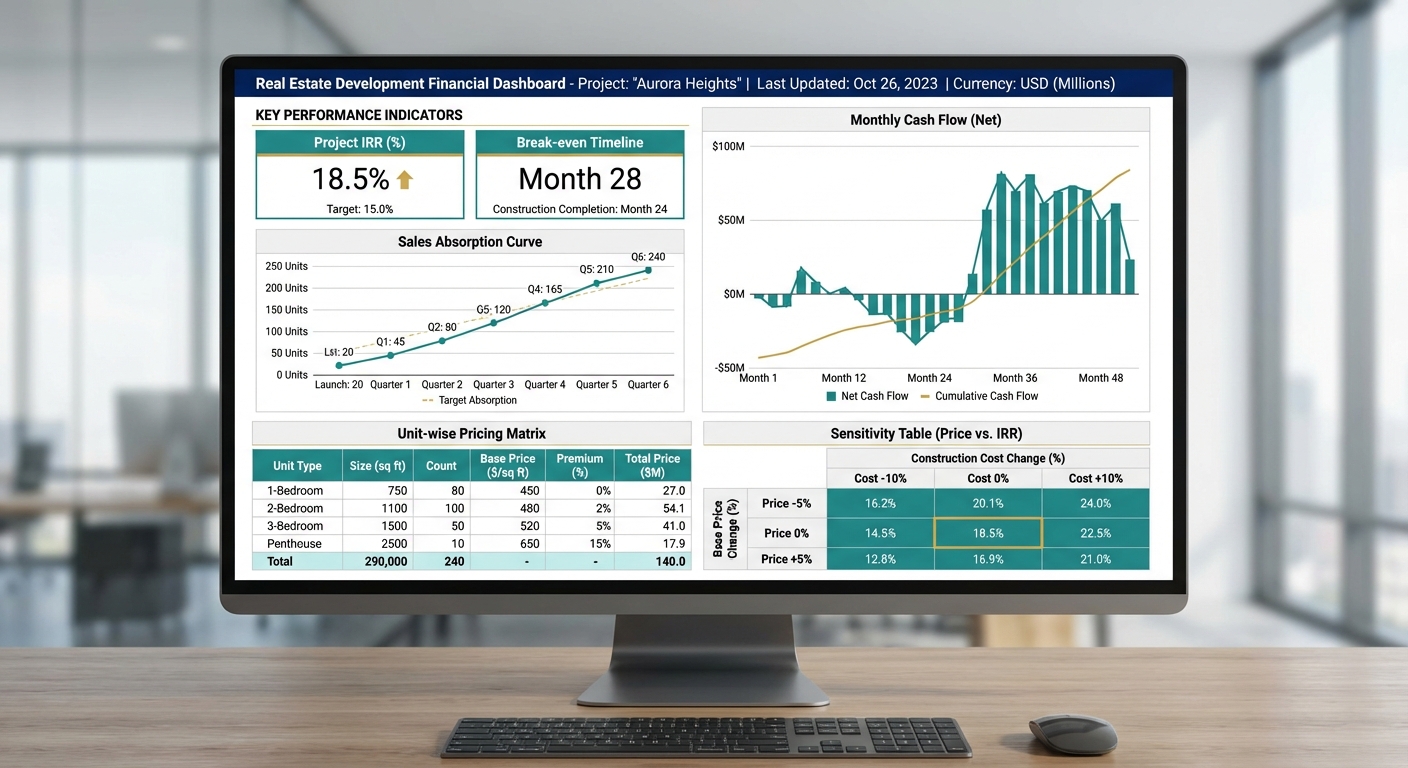
- Monthly cashflow dashboard (funding gap, surplus, debt service)
- Sensitivity: price, absorption, cost inflation, interest rate
- Bank summary: DSCR table + covenant indicators
Handover to keep it running
- Standard Operating Notes: update frequency and responsible owners
- One-page “how to update” guide for monthly reviews
- Checks to run before sending to any banker/investor
- Q&A session with finance + project team + sales head
8) Outcome & next steps
OutcomeAfter the model, ABC had a single “source of truth” for the project—useful for internal decisions and external financing. They could answer banker questions faster and run offer scenarios without breaking the spreadsheet.
| Area | Before | After |
|---|---|---|
| Monthly cash visibility | Unclear timing, manual edits, conflicting versions | Clear month-wise cashflow with funding gap view |
| Bank discussions | Hard to defend assumptions; DSCR not structured | Banker-ready DSCR + drawdown/re-payment logic |
| Pricing & offers | Discount decisions based on “market feel” | Offer impact visible on cash + profit instantly |
| Model maintenance | High risk of formula breaks | Input locks + checks make it safe to update |
Confidentiality
This case study uses a dummy entity name (ABC) and illustrative examples. We never publish client-identifiable data.